Moat keeps your 2FA codes and passwords encrypted on your device — and end-to-end encrypted in the cloud. No one can read them but you.




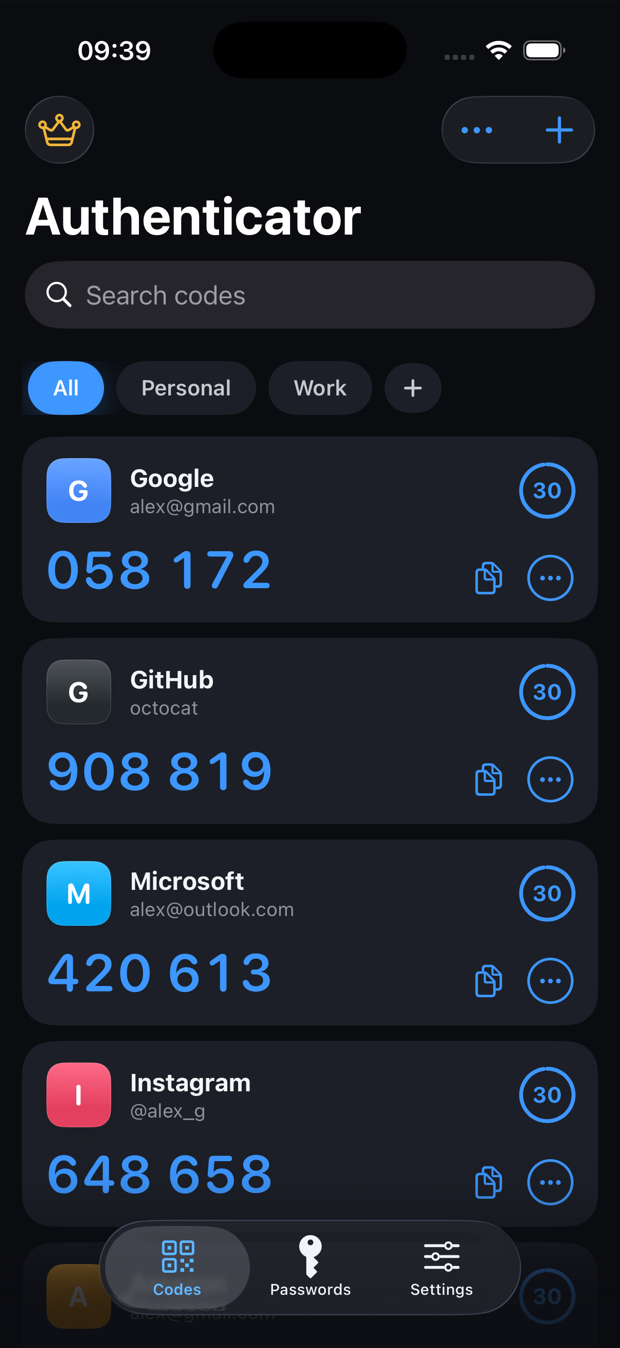
Generates codes for thousands of services that support two-factor authentication




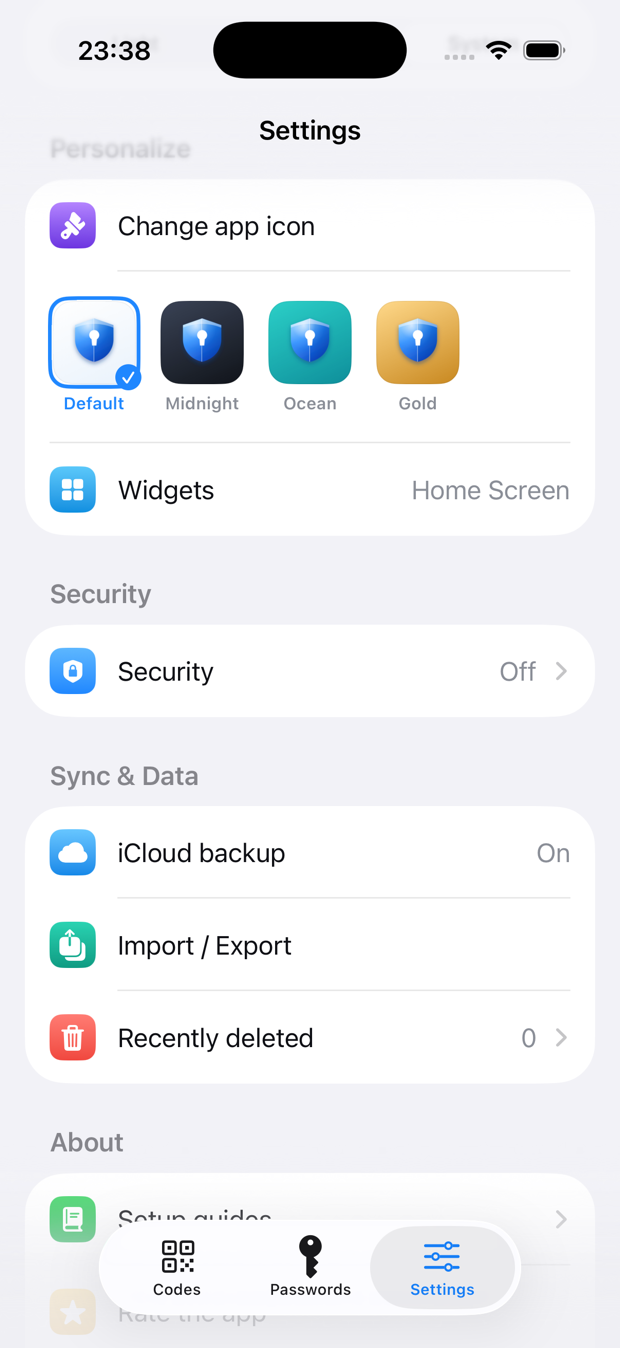
Personalize
Four hand-crafted app icons and full light/dark theming. A small touch that makes a security app feel like it belongs to you.
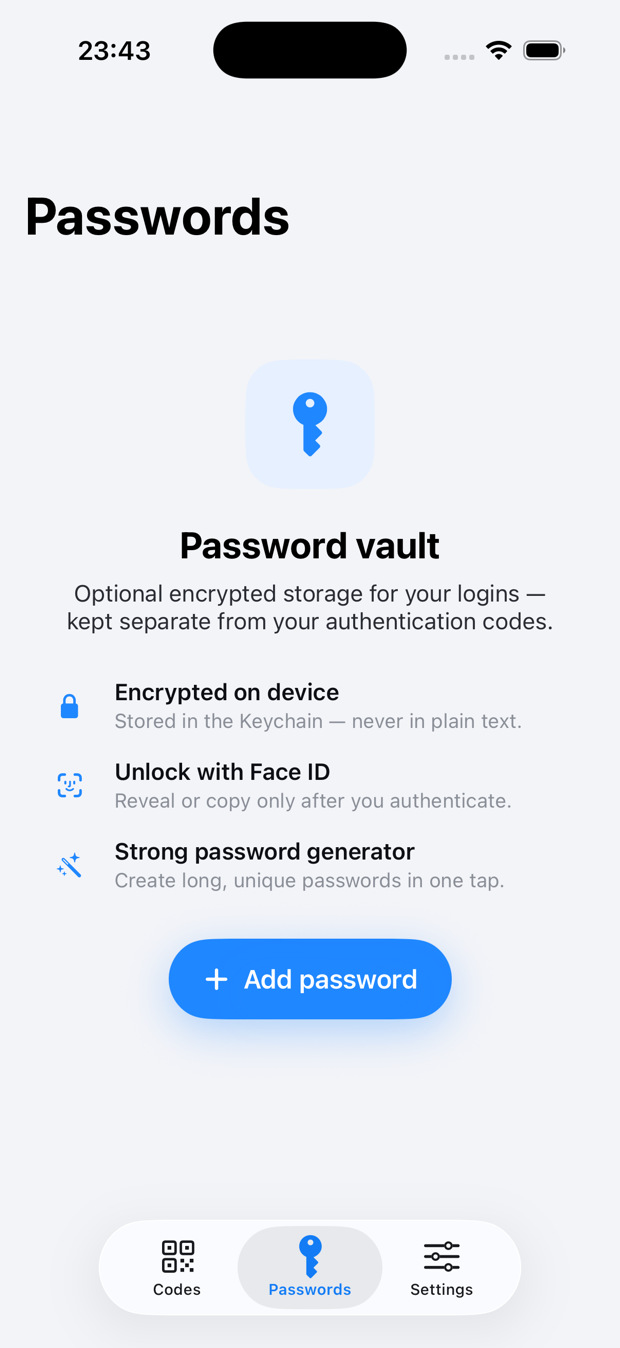
Passwords & API keys too
A built-in vault for passwords and API keys lives right alongside your codes — encrypted in the iOS Keychain, revealed only after Face ID. Free for up to 20 items.
Switch in a minute
Move from Google Authenticator in one scan, then keep everything safe across devices with optional encrypted backup.
otpauth:// links & photosMoat uses the same open standards the whole industry relies on. Here's what actually happens each time a fresh code appears.
When you scan a QR code, the service's secret key is saved straight into your device's Keychain — never to our servers.
Every 30 seconds Moat combines that secret with the current time using TOTP (RFC 6238) to compute a one-time, six-digit code — fully offline.
Enter the code alongside your password. Even if your password leaks, an attacker can't get in without the code only your phone can generate.
Built on published standards — TOTP (RFC 6238) and HOTP (RFC 4226) — so your codes work everywhere. See how we protect the secret →
Security, in plain terms
No vague promises. Here's exactly how your data is protected — and why even we can't read it.
2FA secrets and passwords live in the iOS Keychain, protected by device encryption and excluded from unencrypted backups. They never leave in readable form.
Turn on backup and everything is encrypted on-device before upload with AES-256-GCM. Our servers only ever store ciphertext.
Your key is derived with PBKDF2-SHA256 at 210,000 iterations (current OWASP guidance), with random salts. Keys never leave your device.
We have no ability to read your secrets or passwords. Lose your recovery key and not even we can restore them — that's the point.
No advertising SDKs, no ad identifiers, no third-party logo fetches; product analytics is anonymous and opt-out. We don't sell or share your data — there's nothing to sell.
Codes follow TOTP (RFC 6238) and HOTP (RFC 4226), so they work with thousands of services worldwide.
Most authenticators generate codes. Few are built so the company behind them genuinely can't read your data.
 Moat
MoatBased on publicly documented features as of 2026. Competitor capabilities may change — always check their current documentation.
Everything you need to protect your most important accounts — with no ads and nothing to sell, ever.
No hidden fees · 7-day free trial on Premium · cancel anytime.
Protect a starter set of accounts, fully on-device.
No account required
Everything in Premium, one simple plan.
✦ 7-day free trial≈ $1.25/month · billed annually
7 days free, then $14.99/year. Cancel anytime.
Prefer to pay once? Lifetime is available in the app — $29.99, one time.
Premium is billed via Apple (iPhone) or Paddle (web) and unlocks on every device you sign in to.
Compare every feature on the full pricing page → or read the refund policy.
No sign-up required. No ads, and nothing sold — only anonymous, opt-out analytics. The only data that ever leaves your device is end-to-end encrypted — and we can't read it. Read our privacy policy →
Still curious? Reach us anytime on the support page.
Yes. Moat is free to protect up to 10 accounts, with full on-device encryption and offline codes, plus a built-in vault for 20 passwords & API keys. Premium unlocks unlimited accounts and vault items, password breach monitoring, and end-to-end encrypted backup & sync for $14.99/year with a 7-day free trial — or a one-time $29.99 lifetime purchase in the app.
No. Moat is zero-knowledge by design. Your secrets live in the iOS Keychain, and any cloud backup is end-to-end encrypted on your device with AES-256-GCM before it's uploaded. We only ever store ciphertext we cannot read.
Yes. Codes are generated entirely on your device using TOTP (RFC 6238) and HOTP (RFC 4226), so no internet connection is needed to view or use them.
In Google Authenticator, choose Transfer accounts → Export accounts to display a QR code, then scan it with Moat — or import a screenshot. All your accounts come over in one step. You can also paste otpauth:// links or enter setup keys by hand.
If you enabled encrypted backup, install Moat on your new device and enter your recovery key to restore everything. Because the recovery key never leaves your device, only you can restore your data — keep it somewhere safe.
Thousands. Any service that supports standard two-factor authentication — Google, GitHub, Microsoft, Apple, Instagram, Slack, Netflix, Spotify and many more — works with Moat through the open TOTP and HOTP standards.
Free to start. Upgrade anytime for unlimited accounts, encrypted backup, and sync across your devices.
Download on the App Store